Laser Class Explained: Safety Ratings for Engravers and Cutters
A laser class describes the potential hazard from laser radiation accessible from a product under defined conditions. IEC categories include 1, 1M, 1C, 2, 2M, 3R, 3B and 4. For an engraver or cutter, check the complete machine’s classification and operating instructions; the internal laser source can have a different hazard class.
If you are comparing machines for a workshop or school, a wattage figure answers only part of the question. You also need to know where radiation can escape, which configuration was assessed, and what changes during maintenance. This guide explains the labels and the questions to ask before buying.
Laser class chart: what the labels mean
The table below summarizes the categories. Class 1C is a special category for contact applications, so the labels should not be read as a simple eight-step ladder.
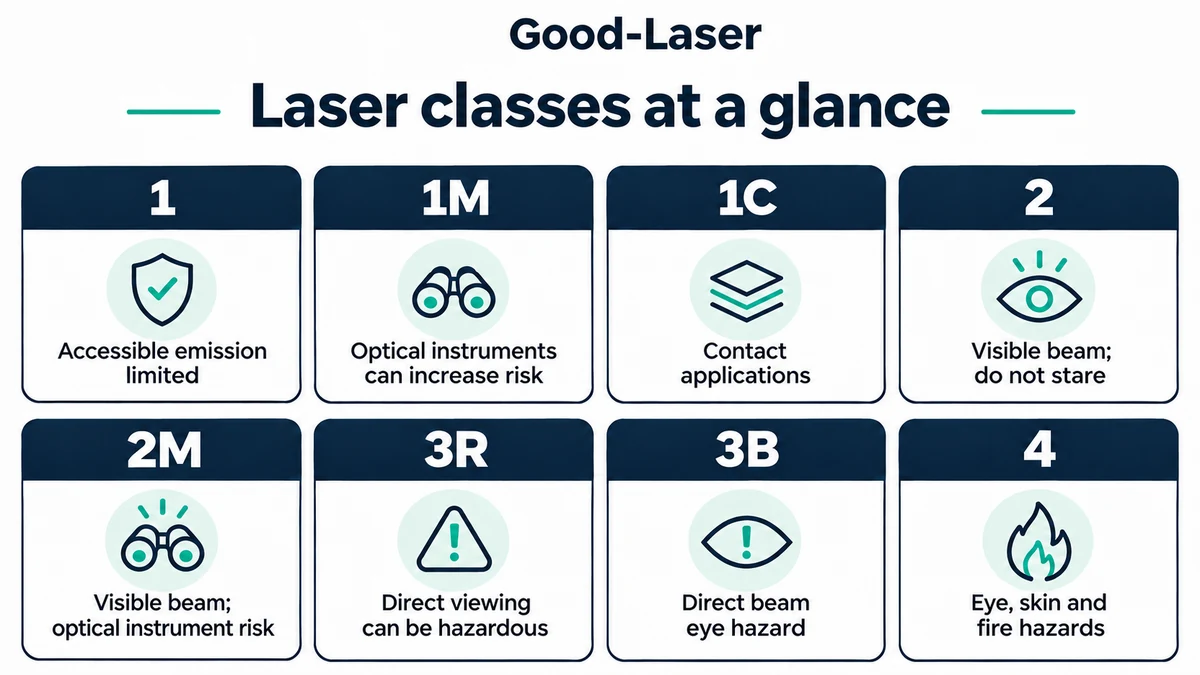
| Laser class | Main distinction | Practical implication |
|---|---|---|
| 1 | Accessible emission meets Class 1 limits. | Normal operation can be protected even with a powerful source inside. |
| 1M | Optical instruments can increase exposure. | Do not assume binoculars or magnifying optics are safe. |
| 1C | Contact treatment of skin or non-ocular tissue. | Engineering measures prevent eye exposure; this is not a cutter category. |
| 2 | Visible radiation; brief accidental exposure relies on aversion responses. | Do not stare into the beam. |
| 2M | Visible radiation with an additional optical-instrument hazard. | Magnified viewing can defeat the protection associated with brief exposure. |
| 3R | Direct viewing can be hazardous. | Prevent deliberate exposure and follow the product’s precautions. |
| 3B | Direct beam and mirror-like reflections present an eye hazard. | Requires appropriate beam controls. |
| 4 | Direct and reflected radiation can injure eyes and skin; fire risk exists. | Diffuse reflections can also be hazardous. |
These are introductory descriptions, not classification test criteria. See Health Canada’s laser product classification guidance for the category overview. The applicable standard and the product’s documentation determine how a particular machine is classified.
What determines a laser’s class?
Classification considers accessible radiation under specified measurement conditions. Wavelength, output power or energy, pulse duration and the delivery system all matter. A closed housing can change what the user can access even when the source inside is powerful. Weill Cornell’s classification overview identifies these factors.
Two terms often appear in supporting documents. The accessible emission limit (AEL) is used in product classification. The maximum permissible exposure (MPE) concerns exposure of the eye or skin. They serve different purposes; a machine’s electrical input rating cannot substitute for either assessment. Berkeley Lab explains the distinction.
Be careful with online charts that assign every laser a class using only milliwatts. Some simplified thresholds apply to particular visible, continuous-wave beams. They cannot be transferred unchanged to an infrared cutting source or a pulsed marking laser. The IEC product standard includes classification rules and accessible emission limits for different conditions, including pulsed sources. Its public summary describes the scope; the full criteria are in IEC 60825-1.
Why a Class 1 machine can contain a higher-class laser
A complete product and its internal source may carry different classifications. An enclosure can restrict access to a beam that would be hazardous if exposed. Berkeley Lab’s guidance explicitly includes enclosed higher-class lasers among Class 1 products.
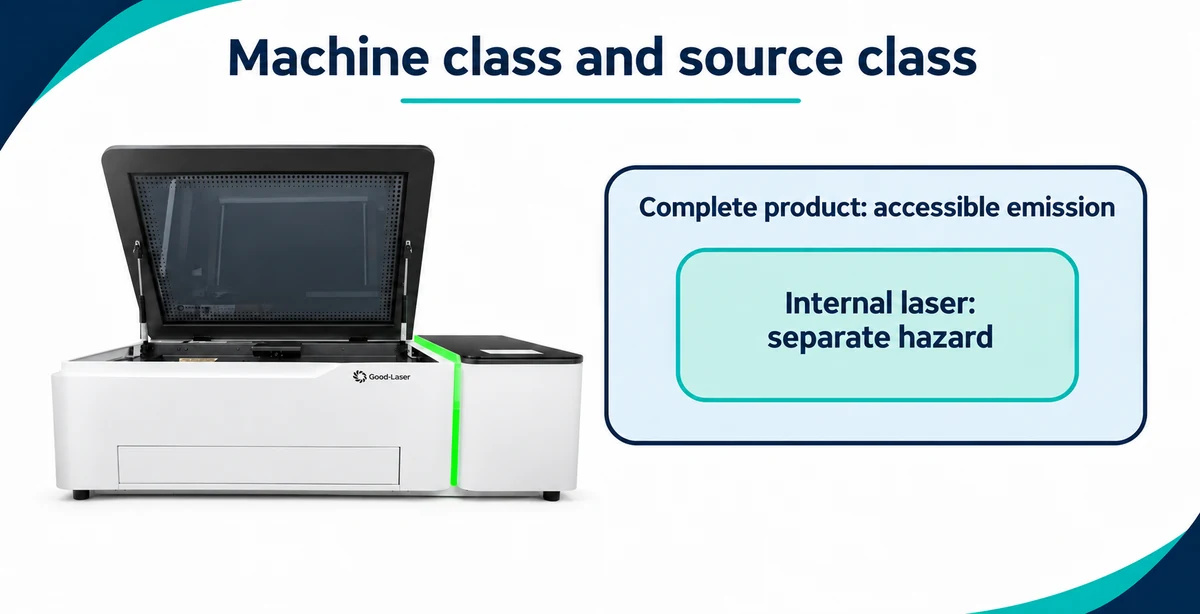
For a buyer, the useful question is: “Does the stated classification cover the exact machine and configuration I will operate?” A housing alone does not establish compliance. Ask about the viewing window, doors, interlocks and any openings through which a workpiece passes.
Consider a shop that cuts small panels inside a closed machine but later wants to process an oversized sheet through a pass-through. The second setup needs its own documentation check. Do not assume the original classification applies with an opening exposed or an accessory fitted.
Maintenance also deserves a separate conversation. A service procedure may expose hazards unavailable during normal operation. Keep interlocks intact and follow the manufacturer’s service restrictions. A photograph of a closed machine, or the color of its viewing window, cannot establish its protective performance.
IEC classes and US Roman-numeral labels
You may encounter Arabic numerals such as Class 3B and Roman numerals such as Class IIIb. The FDA describes the US categories as I, IIa, II, IIIa, IIIb and IV. Familiar approximate correspondences include I with 1, II with 2, IIIa with 3R, IIIb with 3B and IV with 4. The FDA notes that the IEC system is roughly equivalent; this is not a substitute for checking the applicable requirements.
For a US purchase, ask which requirements the supplied model meets and request the supporting documentation. For another market, check the requirements there. Avoid treating a marketing phrase such as “FDA certified” as the complete answer. The FDA’s laser product overview explains the classification systems and manufacturer responsibilities.
How laser class affects engraver and cutter selection
Start with the intended material and job, then review how the machine controls exposure. CO₂, fiber and diode describe laser technologies; they do not identify the classification of every complete product that uses them.
Good-Laser’s Light 530 is presented as a desktop CO₂ cutting and engraving machine. Its published specifications list an interlock switch and emergency stop. Those features are relevant questions for a purchasing discussion, but this article does not independently certify the machine. Request the model-specific classification label, report and operating instructions before making a safety decision.
If a blue diode laser engraver fits your materials and budget, apply the same checks. A visible processing beam still needs appropriate controls. Compare the enclosure and operating configuration as carefully as the headline power.
When choosing the best laser engraver for small business, include installation and daily operation in the comparison. Who loads the parts? Can other people enter the work area? Will an accessory change the setup? Answers to those questions help you compare the equipment you will actually use.
What to request before buying a laser machine
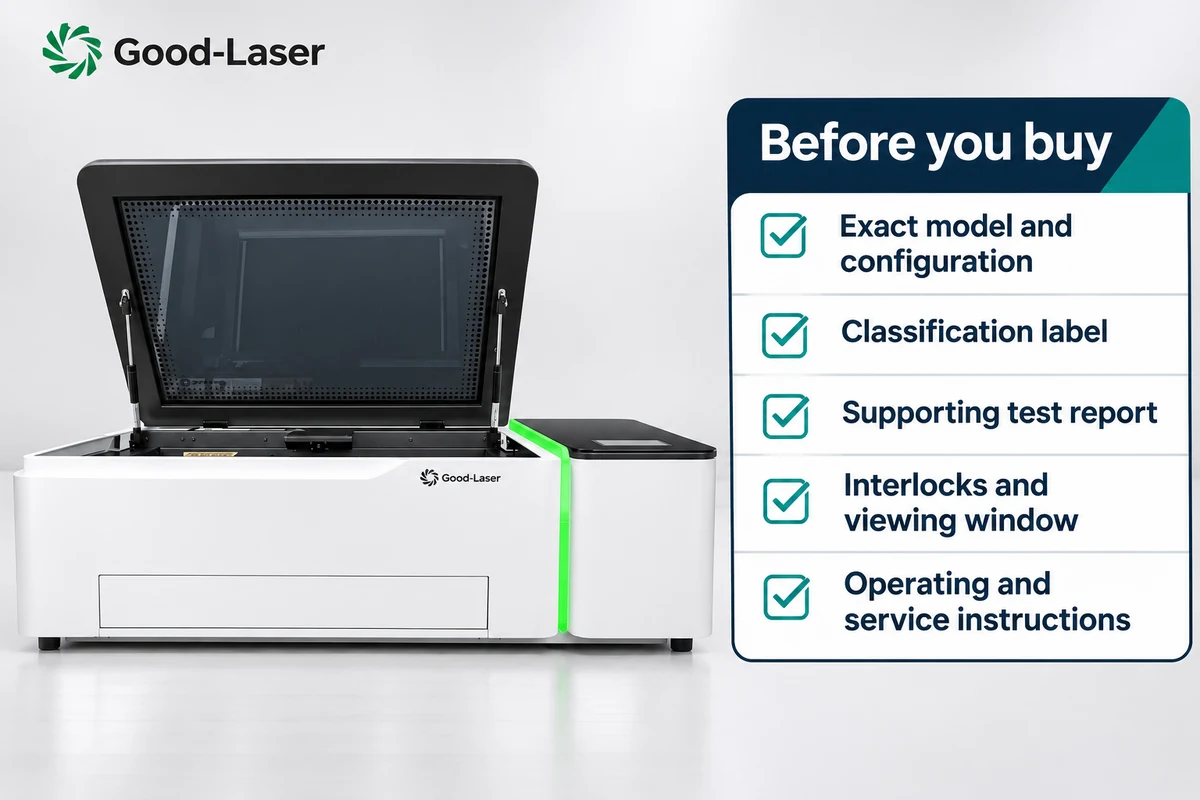
Ask for documents tied to the exact model and configuration on the quotation. A brochure covering an entire product family may leave important details unresolved.
| Request | What to check |
|---|---|
| Classification label | Model identification, stated class, wavelength and relevant emission information. |
| Supporting report or declaration | Which standard and edition were used, which model was assessed, and which configurations are covered. |
| Operating manual | Normal operation, permitted materials, maintenance limits and inspection instructions. |
| Safeguard details | Viewing-window protection, door and lid interlocks, emergency stop, and the manufacturer’s approved checking procedure. |
| Accessory instructions | Whether a rotary attachment, riser or pass-through changes the assessed configuration. |
| Installation requirements | Extraction, electrical supply, workspace access and any site-specific safety assessment. |
If the label and sales description disagree, resolve that before ordering. Ask the supplier to identify the relevant document and configuration in writing. Avoid attempting to classify a machine yourself from a power setting or a photograph.
Laser classification does not cover every workshop hazard
Laser cutting can generate fumes from the material being processed. Extraction, material suitability and filter maintenance remain part of the job even when beam exposure is controlled. Electrical equipment and combustible material introduce further hazards. OSHA’s laser hazards guidance addresses ventilation, electrical hazards and enclosure flammability separately from beam classification.
Follow the manufacturer’s material restrictions, clear debris as instructed and attend the machine during processing. Plan how an operator will stop a job and respond to a fire. These are practical considerations when deciding where a cutter will sit and who will supervise it.
For setups requiring protective eyewear, use the manufacturer’s guidance and a qualified laser safety assessment. Wavelength and the necessary protection rating matter; lens color is not a selection method. Eyewear does not replace a suitable enclosure or other required controls.
Frequently asked questions about laser classes
Is a Class 1 laser completely safe?
Class 1 describes accessible laser emission within specified limits. It does not promise that every activity around a machine is free of risk. Processing fumes, hot material and electrical hazards still need attention. Opening service panels or changing the configuration can expose hazards that are not accessible during normal operation.
Does a higher laser class mean better engraving?
No. The class describes a radiation hazard category. Engraving results depend on the laser technology, material, focusing and processing conditions. A properly enclosed machine can contain a powerful source while limiting accessible emission. Compare sample results and production requirements separately from the product’s classification.
Can I make a Class 4 laser Class 1 by adding a cover?
A cover alone is insufficient evidence. The complete product needs to meet the applicable classification requirements in the relevant configuration. Window protection, openings and interlocks all deserve review. Ask the manufacturer or a competent specialist to assess the proposed system before relying on a new classification.
What is the difference between Class 1 and Class 1M?
Class 1M includes a particular concern about optical instruments increasing exposure. Magnifying or collecting optics can make viewing hazardous even where unaided viewing meets the relevant conditions. Follow the label and instructions, and do not treat the “M” as a minor naming variation when planning an optical inspection setup.
Are Class 2 lasers safe to look into?
Do not deliberately look into the beam. Class 2 applies to visible radiation and relies on aversion responses for brief accidental exposure. That is not permission to stare or repeatedly expose the eye. Class 2M adds an optical-instrument concern. Invisible processing lasers should not be assessed using this visible-light rationale.
Which laser class should I choose for a school or small shop?
For routine use, a documented enclosed system that limits accessible emission is a useful starting point. The choice still depends on the intended job, users, installation and local requirements. Ask for evidence covering the supplied configuration and review supervision, extraction and maintenance before deciding where and how it will operate.
Discuss your application with Good-Laser
Send your material, thickness, workpiece dimensions and intended installation country to the good laser team. Include whether the machine will be used in a school, shared workshop or production area, and whether you need a rotary attachment or pass-through. Ask for a suitable model recommendation, sample-processing discussion and the classification documentation for the proposed configuration.