How Much Is a Laser Engraver or Cutter? 2026 Cost Guide
Laser engravers and cutters range from hundreds of dollars for craft machines to several thousand for desktop systems and tens of thousands for dedicated metal-cutting equipment. The right budget depends on the material, operation and production volume. Compare the complete installed setup, including extraction, accessories, software and delivery, before choosing a machine.
How Much Is a Laser Engraver?
A laser engraver’s price depends first on the type of work it performs. A laser engraver for wood used for personalized products, a CO₂ system for acrylic and a fiber platform for metal marking belong to different purchasing categories.
As selected market checkpoints, xTool’s US-dollar model page lists its M2 craft machine from $499, S1 enclosed diode platform from $1,299 and F1 Ultra fiber/diode system from $2,999. These examples show why “laser engraver” does not describe one standard price or capability.
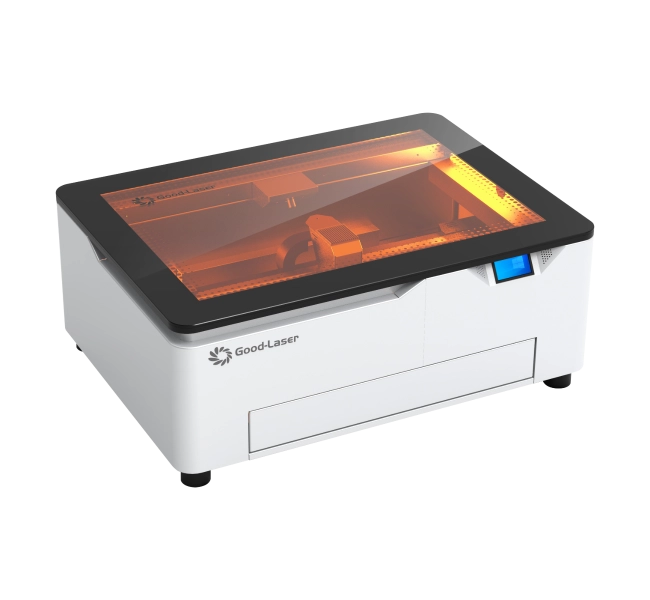
For names, logos and decorative craft products, evaluate a Good-Laser Light Blue 530 diode laser engraver. For compatible metal identification and customization, evaluate the Mark M20 fiber laser engraver. Request samples of the exact material and finish before deciding which category deserves your budget.
How Much Is a Laser Cutter?
A desktop laser cutter often requires a larger budget than a basic engraving setup, particularly when you need clear-acrylic cutting, a practical working area or repeatable batches. Selected published examples include the xTool P2S desktop CO₂ platform from $2,999 and P3 from $6,999. A small commercial example, the Boss LS-1630, starts at $7,197.
The cutting result matters more than the category name. Define the material grade, routine thickness, largest part and required edge finish. A machine that marks a surface is not necessarily able to cut through that material, and a headline maximum thickness does not establish your normal production rate.
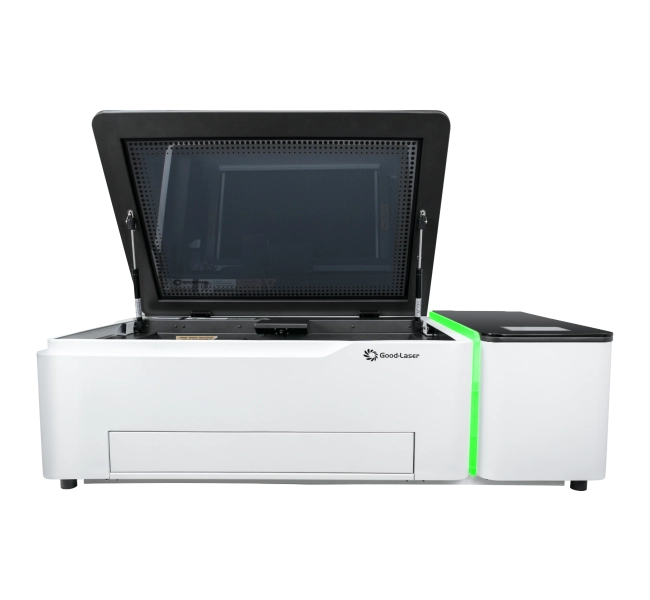
For a compact non-metal workflow, compare the Good-Laser Light 530 desktop CO₂ cutter with Light 640 when routine parts or batch layouts need more working area. Include both cutting and engraving in the test file if your products require both operations.
How Much Is a Laser Cutting Machine?
Professional cutting equipment spans a wider investment range because sheet size, source, handling and installation differ substantially. For non-metal CO₂ work, published Boss examples include the LS-2440 from $9,497 and LS-3655 from $10,497. Its dedicated FC-EcoCUT fiber sheet cutter starts at $49,997, illustrating the different budget involved in metal fabrication.
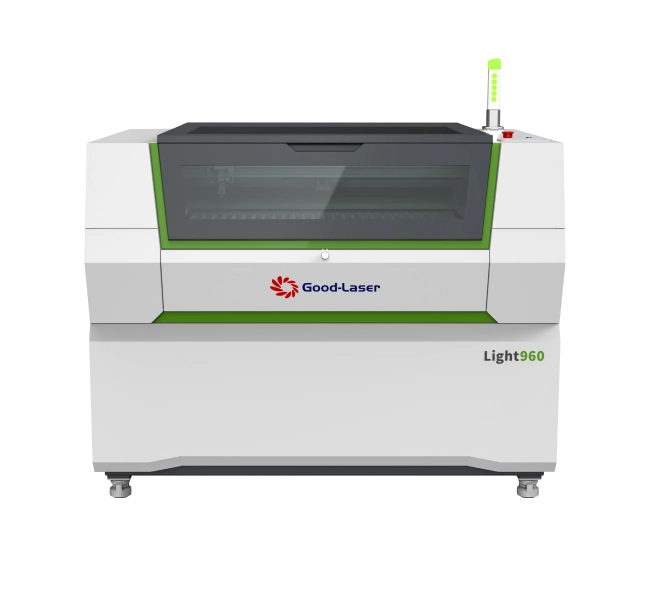
For wood, acrylic and similar non-metal production, compare the Good-Laser CO₂ laser cutter range, including Light 640, Light 960 and Light 1390. Request current model-specific configurations and a representative production test. Do not infer usable dimensions or cutting performance from a model number.
If your main requirement is steel or other sheet-metal cutting, ask for a system designed and demonstrated for that alloy and thickness. A compact fiber marking machine such as Mark M20 should not be selected as though it were a production sheet cutter.
Laser Machine Price Comparison at a Glance
| Application | Published USD starting-price example | Good-Laser option to evaluate |
|---|---|---|
| Craft engraving | xTool M2: $499; S1: $1,299 | Light Blue 530 |
| Metal marking and customization | xTool F1 Ultra: $2,999 | Mark M20 |
| Desktop CO₂ cutting | xTool P2S: $2,999; P3: $6,999 | Light 530 |
| Commercial non-metal CO₂ cutting | Boss LS-1630: $7,197; LS-2440: $9,497; LS-3655: $10,497 | Light 640, Light 960, Light 1390 |
| Dedicated metal sheet cutting | Boss FC-EcoCUT: $49,997 | Request a separately verified metal-cutting solution |
Price references checked October 8, 2026 on xTool’s official model page, Boss’s CO₂ range and Boss’s fiber cutter range. These are selected US-dollar starting prices, not equivalent configurations, installed totals or Good-Laser quotations. Promotions, selected variants, taxes, freight and accessories can change the amount payable.
Choose by Material Before Comparing Prices
The most useful budget filter is the job you need to complete. Write down the exact material, required operation and acceptable finished result. This prevents an inexpensive machine from becoming an expensive mismatch.
Wood and personalized craft products
For engraving names and decorative designs, begin with a small set of repeatable blanks. For cut-out shapes, also test thickness, fit and edge appearance. Consider design preparation and loading time alongside beam-on time; one-at-a-time handling can become the main production constraint.
Acrylic signs and mixed cutting-and-engraving work
CO₂ is a relevant category to evaluate for clear acrylic projects. Specify the acrylic grade and test the complete design rather than a simple straight cut. Good-Laser’s laser engraving acrylic guide can help frame the application. Do not assume all colored, coated or transparent plastics behave alike.
Metal tags, serial numbers and jewelry
When choosing a laser engraver for metal, start with the alloy, coating, mark depth and legibility requirements. Ask the supplier to produce the intended result on your blank. Metal surface marking, deep engraving and sheet cutting are different operations and should be specified separately.
Which Good-Laser Model Fits Your Budget?
Use the following shortlist to request comparable offers. The evaluation questions describe what to confirm; they are not promises of output or suitability for every material.
| Model | Evaluation starting point | Confirm in the quotation |
|---|---|---|
| Light Blue 530 | Compatible craft engraving; published work area 520 × 315 mm | Laser configuration, material result, extraction and accessories |
| Mark M20 | Compatible metal marking; published field 110 × 110 mm | Source, power, lens, fixtures and desired mark finish |
| Light 530 | Desktop CO₂ cutting; published working space 520 × 300 mm | Chosen model, cooling, extraction and complete-job cycle time |
| Light 640 | Non-metal cutting with a published 600 × 400 mm work area | Source, usable batch layout and installation dimensions |
| Light 960 / Light 1390 | Options to discuss when smaller formats constrain routine work | Current model-specific dimensions, power, loading access and sample results |
Good-Laser’s reviewed product pages do not publish a fixed checkout price. Obtain a written configuration sheet with the offer, including the exact source and power for Mark M20. For every model, ask which accessories and local installation requirements are included.
What Makes One Laser Machine More Expensive?
Compare the usable system rather than a wattage number. Work area, source configuration, controller, positioning tools, fixtures and service arrangements can all change what the purchase delivers. Ask each supplier to quote the same sample job and package.
A larger bed is worth considering when a recurring part does not fit, repeated loading consumes time or sheet preparation wastes material. It may provide little benefit when orders are mostly single small items. Compare actual nesting layouts and completed batches before assigning value to extra capacity.
Software also belongs in the comparison. Review Good-Laser’s laser cutter software resources, then verify compatibility and licensing for the exact controller and computer you intend to use.
Calculate the Complete Installed Cost
Your purchase budget should cover a working process, not just the machine. Separate one-time investment from recurring expenses and mark unknown charges as unresolved rather than zero.
| Budget item | What to confirm |
|---|---|
| Machine and options | Model, source, controller, fixtures and accessory list |
| Cooling and air assist | Included equipment, operating conditions and maintenance |
| Extraction | Fan or filtration, connections, duct route and replacement filters |
| Software and training | Licenses, setup assistance and operator training |
| Logistics and site preparation | Freight, import charges, unloading, power and working clearances |
| Production launch | Trial materials, fixtures, cleaning supplies and initial spare parts |
For example, an assumed $3,000 machine plus $450 delivery, $350 extraction connections, $200 trial materials and $150 fixtures totals $4,150 before any additional tax, installation or software charges. This illustrates the calculation only; it is not a market estimate or Good-Laser quotation. Replace every amount with confirmed figures and avoid counting included items twice.
Plan extraction before installation. Confirm the ventilation and filtration arrangement for your exact material, processing method and operating location with the supplier.
Compare Running Costs and Real Production Value
Record material usage, rejected parts, operator time, electricity, filters, cleaning and planned maintenance. For electricity, multiply measured system kilowatts by operating hours and your local tariff. The advertised laser wattage is not the electrical consumption of the complete setup.
Measure cost per accepted part
Divide the cost assigned to a batch by the number of parts that pass inspection. If a hypothetical batch costs $180 and produces 90 accepted pieces, the assigned cost is $2 per piece. Use the same accounting method for every candidate and include rework and operator handling.
Use conservative payback assumptions
Simple payback is installed investment divided by additional monthly contribution after variable expenses and additional fixed operating costs. An assumed $12,000 investment with $600 additional monthly contribution gives 20 months; at $300 it gives 40 months. These are arithmetic scenarios, not forecasts, and exclude financing and the time value of money.
Owning capacity does not establish customer demand. Test the economics against realistic order volume, support availability and downtime rather than assuming a higher-priced machine will automatically earn more.
Test a Representative Job Before Buying
Send the real material and artwork with acceptable edge finish, dimensional fit, engraving appearance and batch quantity. Record setup, loading, processing, inspection, cleanup and rejected pieces. The total batch time is more useful than a maximum-speed headline.
Discuss this evaluation through Good-Laser’s laser engraving samples and testing center. Include routine work and the demanding job that motivated the purchase. Keep agreed sample results with the configuration and quotation.
Frequently Asked Questions
How much is a laser engraver for beginners?
Some craft machines have published prices in the hundreds of dollars, while enclosed or specialized systems cost more. Begin with one material and a few realistic projects, then include extraction, accessories and trial blanks. Compare the complete working setup against your budget.
How much is a laser cutter for a small business?
Selected desktop CO₂ examples start around $3,000, while small commercial systems can cost several thousand more. Your budget depends on the material, working area and supplied package. Obtain an itemized offer and compare the time needed to complete a representative batch.
How much is a laser cutting machine for professional use?
Non-metal CO₂ production platforms and dedicated metal sheet cutters have different investment levels. Selected published examples run from several thousand dollars to tens of thousands. Confirm the source, format, installation and support scope before treating a starting machine price as your final investment.
Can one machine engrave and cut?
Some systems perform both operations on compatible materials, but the capability must be checked for the exact job. Engraving a surface does not establish that the machine can cut through it. Test both operations and specify the material grade, thickness and acceptable result.
Does higher laser power always mean better value?
No. A higher-power configuration may help a particular cutting job, but the complete result also depends on loading, work area, finish and operator time. Compare accepted parts per batch and total costs rather than assuming wattage alone determines productivity.
Are accessories and delivery included in the price?
That depends on the offer. Request written inclusions for extraction, cooling, rotary accessories, fixtures, licenses, freight, installation and training. Separate optional equipment from required items and resolve unknown local charges before comparing final totals.
How do I get an accurate Good-Laser price?
Provide the material, thickness, artwork, largest part, required finish, expected volume and delivery country. Request a configuration-specific quotation and representative sample test. This allows you to compare the cost of equipment suited to your application.
Find the Right Good-Laser Setup for Your Budget
Whether you need personalized engraving, desktop cutting or a larger non-metal production workflow, start with your actual products. Share your materials, drawings, batch quantity, output target and delivery country with Good-Laser. Request a model recommendation and itemized quotation covering the suitable Light Blue 530, Mark M20, Light 530, Light 640, Light 960 or Light 1390 configuration, so your investment supports the work you plan to produce.