What Materials Can a Laser Engraver Cut and Engrave?
A laser engraver can process wood, acrylic, leather, paper, textiles and selected plastics, while suitable systems can also mark or engrave metal, glass, ceramic and stone. Cutting through those materials is a separate capability. A machine that engraves a glass tumbler or marks stainless steel may be unable to cut either material.
Match the laser source to the job you want to do. Wavelength and optical power affect what the machine can process; thickness, coatings and the finish you need narrow the choice further. Check the machine’s approved-material list before testing.
What Is the Difference Between Cutting, Engraving and Marking?
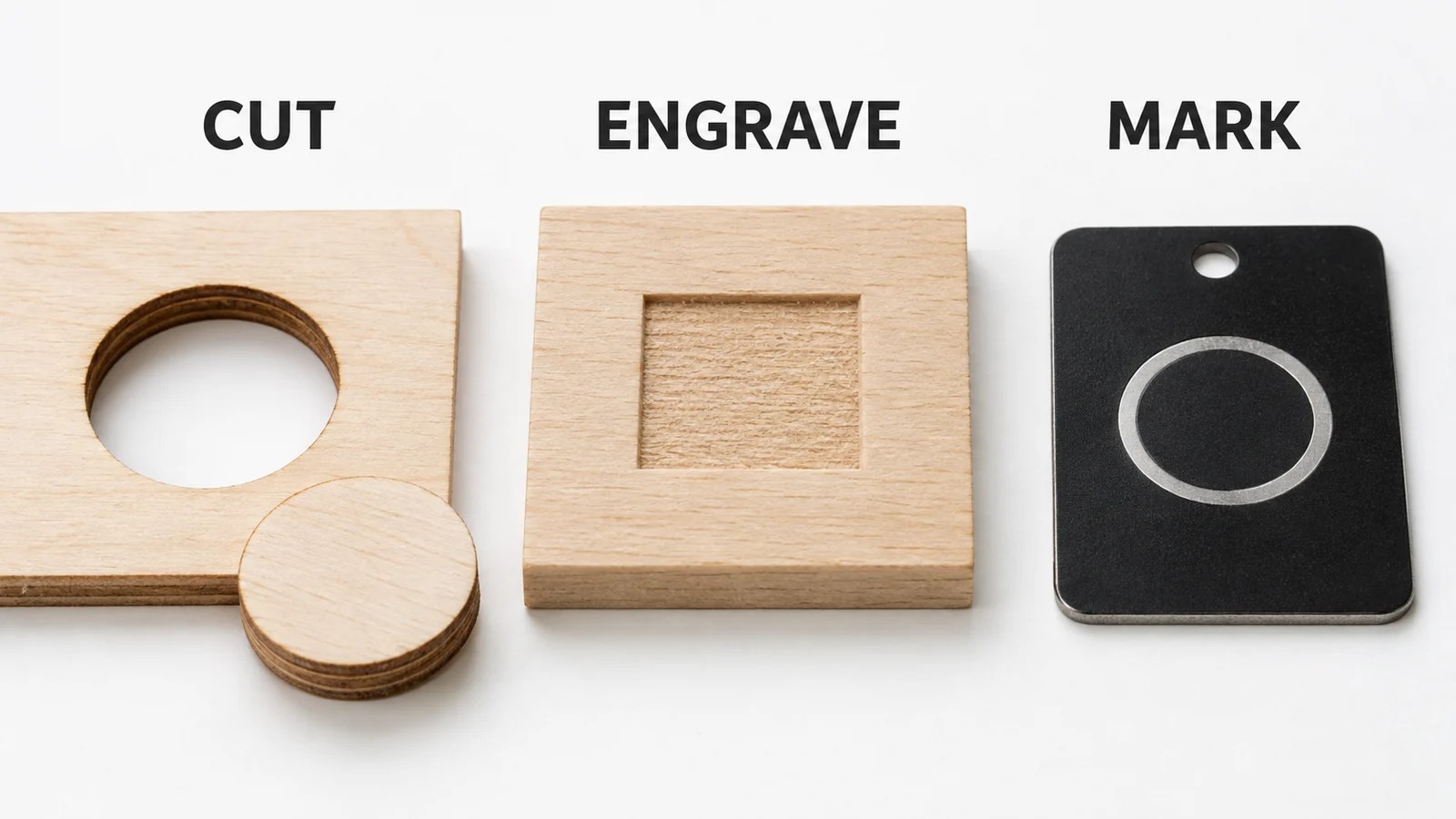
Laser cutting follows a path through the full thickness of a workpiece, separating a part from the surrounding stock. Laser engraving removes material from the surface to create a recessed design. Laser marking changes the surface appearance, sometimes with little measurable depth.
On a powder-coated tumbler, removing the colored coating can expose the metal underneath and produce a clear logo. The machine may still be unable to engrave deeply into the metal wall or cut through it.
When requesting a sample, say whether you need a readable serial number, a recessed logo or a shape cut from the sheet. Each gives the supplier a different result to work toward. Simply asking for an “engraving” leaves the finish open to interpretation.
Laser Engraver Materials Chart: What Can You Cut or Engrave?
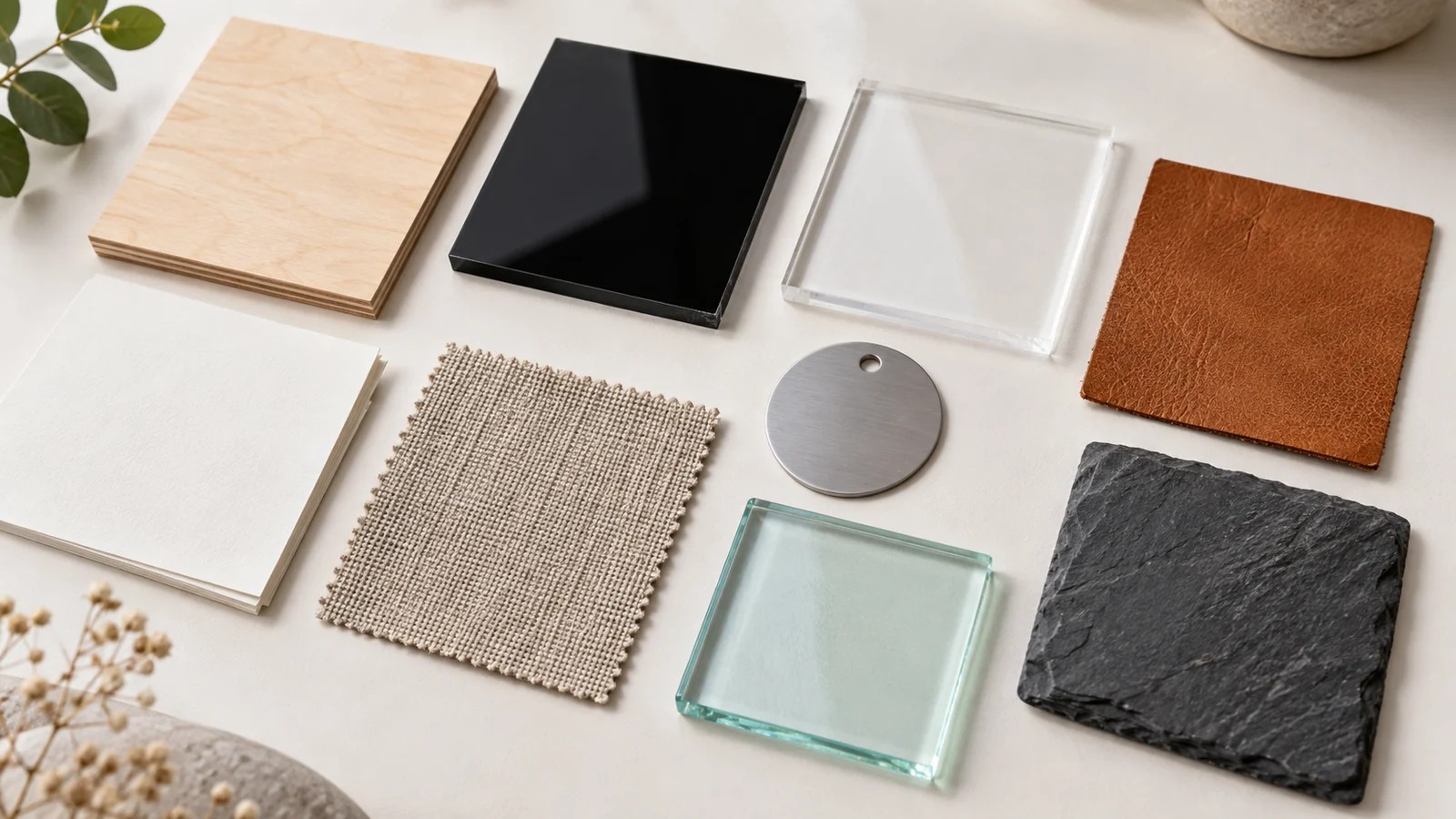
These are common desktop and workshop applications. Before processing a material, confirm that its grade, coating and thickness are suitable for your equipment.
| Material | Engraving or marking | Through-cutting | Main condition |
|---|---|---|---|
| Solid wood, plywood and MDF | Common with CO₂ and blue diode lasers | Possible within the machine’s capacity | Use suitable stock; density, glue and thickness matter |
| Clear acrylic / PMMA | CO₂ is a common choice | CO₂ is the usual workshop choice | A standard blue diode is a poor match for clear acrylic |
| Dark, opaque acrylic | CO₂; some colors also work with blue diode lasers | CO₂ or a compatible diode setup | Confirm the exact color, grade and thickness |
| Laser-approved natural leather | CO₂ or diode | Possible on suitable stock | Check tanning, dyes, finishes and backing |
| Paper and cardboard | Surface effects or scoring, depending on stock | CO₂ or diode | Fire risk and coating composition need attention |
| Fabric and felt | Possible on compatible materials | CO₂; diode on suitable materials | Identify fibers, treatments and adhesives |
| Laser stamp rubber | CO₂ is commonly used | Possible with approved stock | Generic rubber is not an equivalent substitute |
| Coated or anodized metal | Surface marking with a compatible source | Not a normal desktop CO₂ or diode application | A surface mark does not demonstrate metal-cutting capacity |
| Bare metal | Fiber is a common choice for direct marking and engraving | Requires equipment rated for the metal and thickness | A marking laser is not automatically a sheet-metal cutter |
| Glass | CO₂ surface engraving is common | Not a standard desktop engraving application | Composition and shape affect the result |
| Stone and ceramic | Surface engraving or marking on suitable samples | Not a standard desktop engraving application | Expect variation between materials and finishes |
Which Laser Type Matches Your Materials?
CO₂ lasers for non-metal cutting and engraving
For a workshop making wooden parts, acrylic signs, paper products or leather accessories, a CO₂ laser is a practical option. It is particularly useful if clear acrylic is on your material list. The same machine may engrave glass or mark a coating without being able to cut through the underlying material.
When comparing Good-Laser’s CO₂ laser engravers and cutters for non-metal work, check the working area and ask for cutting results on the stock you plan to use.
Blue diode lasers for compatible craft materials
Blue diode systems commonly suit wood, paper and compatible leather, plus some dark acrylics and coated surfaces. Color matters because the material must absorb the laser light. Clear acrylic transmits much of the visible blue light, so increasing power does not make it behave like a CO₂ application.
The Good-Laser Light Blue 530 lists 20 W and 40 W laser options. Its specification table names wood, paper, MDF and felt as cuttable materials. The FAQ adds leather and acrylic; confirm the exact grade, acrylic color and intended operation with Good-Laser. The published maximum cutting thickness is not a promise for every listed material.
Fiber lasers for metal marking and engraving
Fiber systems commonly handle identification marks and logos on metal, as well as recessed engraving. Some engineered plastics can also be marked. The alloy or polymer matters, along with the laser’s pulse characteristics, optics and settings.
If you need parts cut from metal sheet, ask for a through-cut sample at the thickness you will use. An engraved sample cannot establish that cutting capability.
What Should You Check for Each Material?
Wood, plywood and MDF
Signs, ornaments, models and fitted parts can all use wood. To repeat a job reliably, record the species or board grade and supplier alongside the settings. Plywood contains adhesive layers, and MDF is an engineered board. Confirm that both are approved for the machine before testing a cut.
For a box or model, evaluate the joints after cutting. A visually clean outline may still produce a loose fit if the cut removes more material than the design allows. Include a small fit test before committing a full sheet. Good-Laser’s wood laser cutting page covers plywood, MDF and other wood applications.
Acrylic and other plastics
Acrylic usually means PMMA, but a clear sheet can also be polycarbonate or another plastic. Identify the polymer before selecting settings.
Cast acrylic is a common choice for a frosted CO₂ engraving, while extruded acrylic is often used for cutting. Choose the sheet to suit the finish and dimensions your project needs. Good-Laser’s acrylic laser engraving and cutting guide explains the differences.
Do not use an acrylic setting on an unidentified plastic. When ordering, specify the polymer, grade, color and thickness, including any protective film or adhesive backing. If a seller calls it “laser compatible,” ask which process and equipment that claim covers.
Leather, fabric and felt
Laser-approved natural leather can be used for tags, patches and cut shapes. Vegetable-tanned leather is a common candidate, but the tanning description alone does not establish that every dye or finish is suitable. Obtain confirmation for the finished material you will actually process.
Check the layers in synthetic leather carefully. Products sold under similar names may contain different polymers; exclude any material containing PVC. With fabric and felt, identify the fibers and check for backing, coatings or flame-retardant treatments.
Include the smallest lettering or narrowest cut feature from your design in the sample. Handle the finished patch to check that it remains flexible and that the detail holds up before approving production.
Paper, cardboard and stamp rubber
Paper products suit packaging prototypes, cards and model components. Choose known stock and keep the work supervised. A new coating, foil layer or adhesive can change the suitability of an otherwise familiar sheet.
For stamps, order rubber specifically supplied for laser processing. Use readable reversed artwork and leave enough relief around the printing surface. Then test the stamp with ink to check the impression; the engraving preview cannot show you that result.
Metal and coated tumblers
Separate bare metal from anodized, painted and powder-coated surfaces when planning a job. They may require different sources and produce different types of marks. Some CO₂ metal-marking applications use an approved marking compound; this should not be confused with direct deep engraving.
For a tumbler, include its coating, diameter, taper and required logo size in the sample request. A rotary attachment can help position a cylindrical object, but it does not change the wavelength or add metal-cutting capability. Good-Laser’s metal marking applications provide a starting point for discussing the required result.
Glass, stone and ceramic
Desktop engravers commonly decorate the surfaces of glass, stone and ceramic. Cutting out parts is generally beyond their role. CO₂ engraving can give glass a frosted appearance, and suitable stone or ceramic samples can produce contrasting designs.
Test the actual product, including its glaze or finish. Do not approve a whole range of drinkware based on one unrelated glass sample. For curved objects, confirm clearance and positioning before ordering fixtures. Good-Laser’s glass engraving page shows relevant product categories.
Which Materials Should You Avoid or Review Carefully?
Exclude PVC and PVC-containing vinyl from routine laser processing because of hazardous, corrosive decomposition products. Unknown plastics, coatings and composite layers should remain out of the machine until their composition and processing suitability are established.
ABS, thick polycarbonate, HDPE, certain foams and resin-bonded composites also need particular caution. Depending on the material, problems include harmful emissions, melting, poor cutting and ignition. Industrial marking of a specific polymer under controlled conditions does not make it suitable for general-purpose desktop cutting.
The University of Illinois laser cutter safety guidance identifies problematic materials and calls for safety data sheets, ventilation, operating procedures and training. Follow your machine’s approved-material guidance, maintain extraction and interlocks, and supervise every active job.
How Do You Test a Material Before Production?
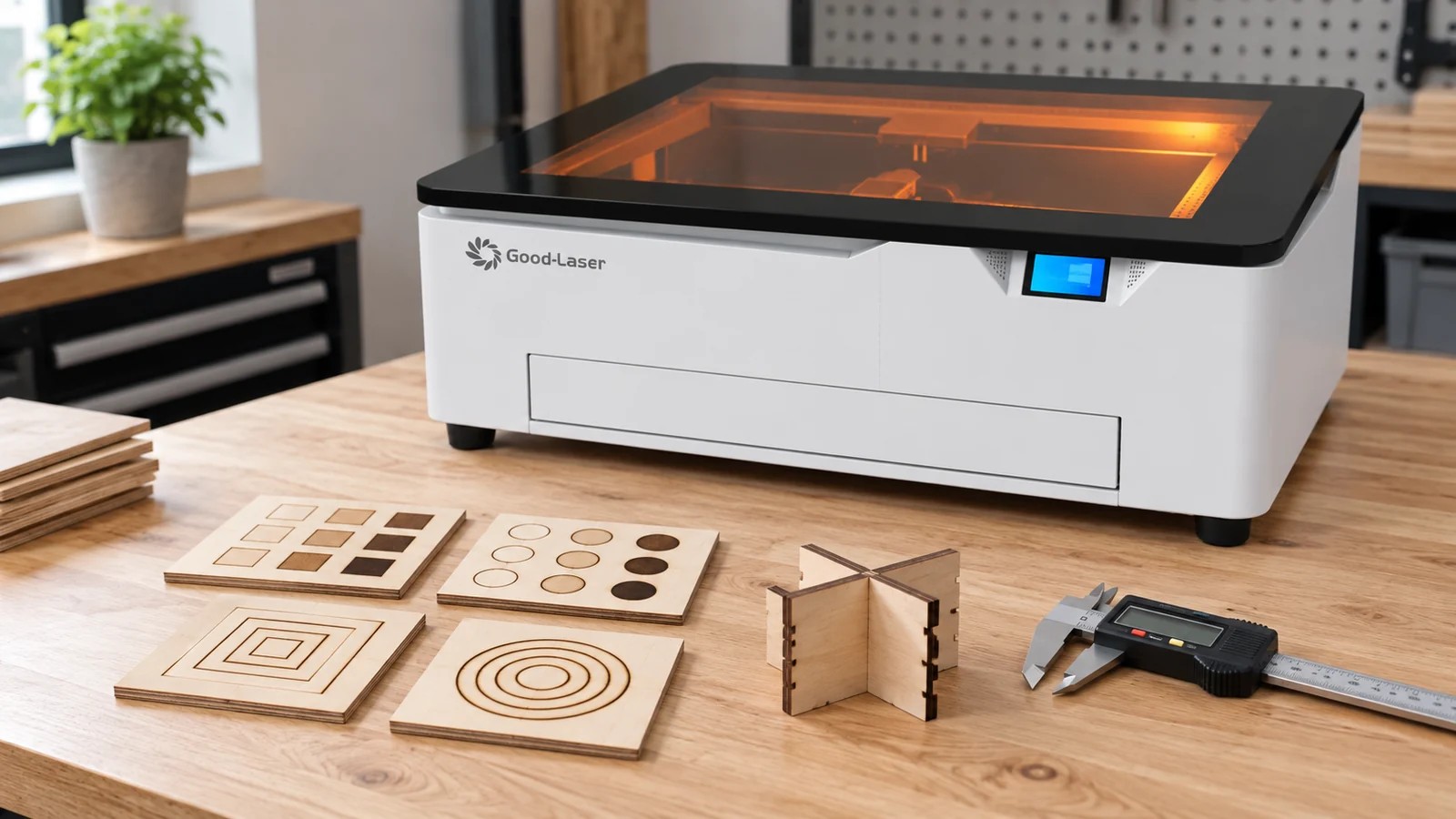
Begin only after confirming that the material is approved for the machine and extraction arrangement. A test cut checks processing quality; it cannot establish that an unknown material is safe.
- Record the supplier, material grade, thickness, finish and batch so you can identify the stock used for each sample.
- Define success before changing settings: readable text, a specified recess, a clean through-cut or an assembled fit.
- Start from the manufacturer’s settings for that material and laser configuration. Record speed units as well as power and passes.
- Use a small test piece with representative text, curves and corners. Include any feature that must fit another part. Change one parameter at a time within the approved range.
- Inspect the cooled, cleaned result. Check the back of a cut, the edge condition, legibility and any distortion.
- Repeat the accepted result on another piece, then record loading, processing and cleaning time for the complete job.
For an acrylic sign, check that the cut separates fully and the mounting holes line up. Inspect the lettering and edge finish against the customer’s requirements before accepting the sample for production.
Frequently Asked Questions
Does a higher-wattage laser work on more materials?
More optical power can improve capacity on compatible materials, but it does not eliminate wavelength limitations. Compare the laser source first, then assess power against a tested job.
Can I use another machine’s material settings?
Another machine’s settings can offer context, but you still need to verify them. Output, focus and optics vary between machines, and the speed units or material batch may differ too. Start with settings supplied for your machine and test them on approved stock.
Is engraving an unsafe material acceptable if I do not cut it?
No. Surface processing can still heat or decompose a coating or substrate. Material approval applies to engraving and marking as well as cutting.
What should I send for a material test?
Provide representative stock, its composition or supplier documentation, thickness and finish. Include the actual artwork, required result, part dimensions and expected batch quantity. Ask the supplier to return the sample and processing details together.
Choose a Laser Around Your Actual Material List
List the products you make most often and whether each needs cutting, engraving or marking. Clear acrylic signs and metal identification tags call for different laser capabilities.
Good-Laser offers a sample testing service to help evaluate applications. To discuss a suitable machine, contact Good-Laser with your material specifications, artwork and production target. Ask for a result on your own stock before choosing the final configuration.